 Tempoframe
Real estate & property tours
Turn a walkthrough clip into a listing video with a calm narrator.
Example script“Floor-to-ceiling windows, sea views from every room, and a terrace made for sunsets.”
Pick a clip, type a script — or record your own voice — and Tempoframe turns it into a natural AI voiceover that lands on time, with subtitles and music. One app, one finished video.
Choose a clip from your gallery or Files — MP4 or MOV, up to 5 minutes. Keep, lower or remove its original sound.
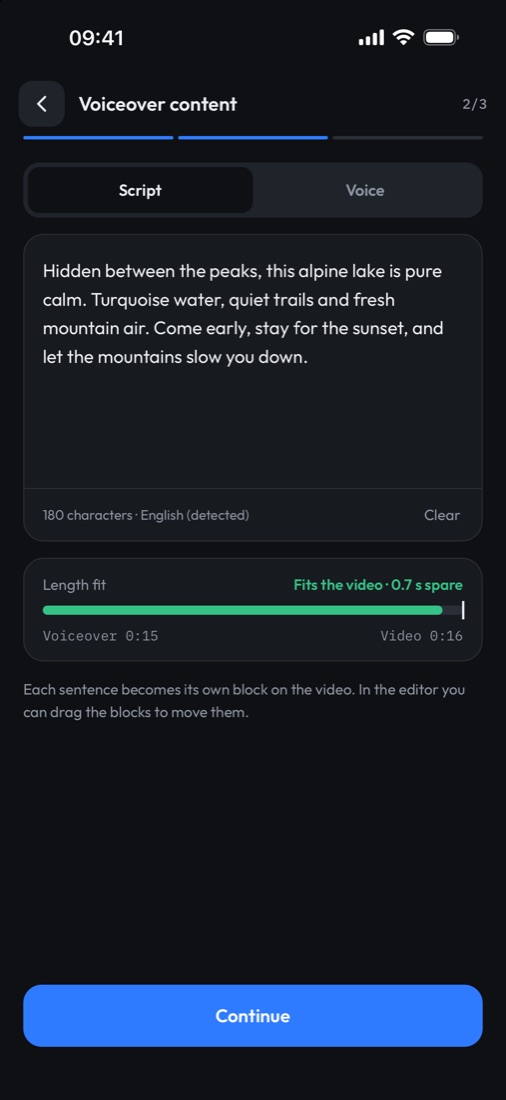
Type or paste a script, or record your own voice. The fit meter tells you if it matches the clip before you start.
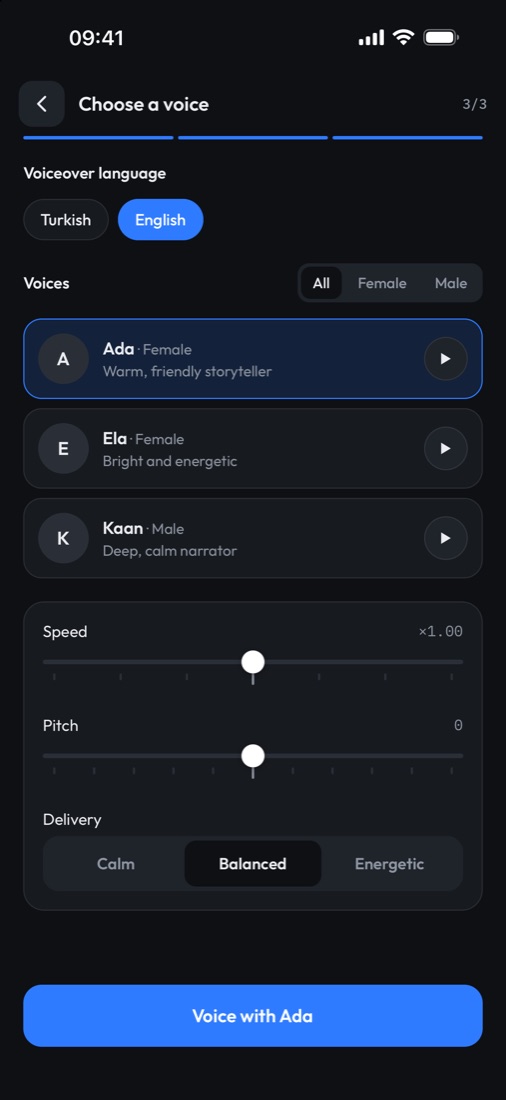
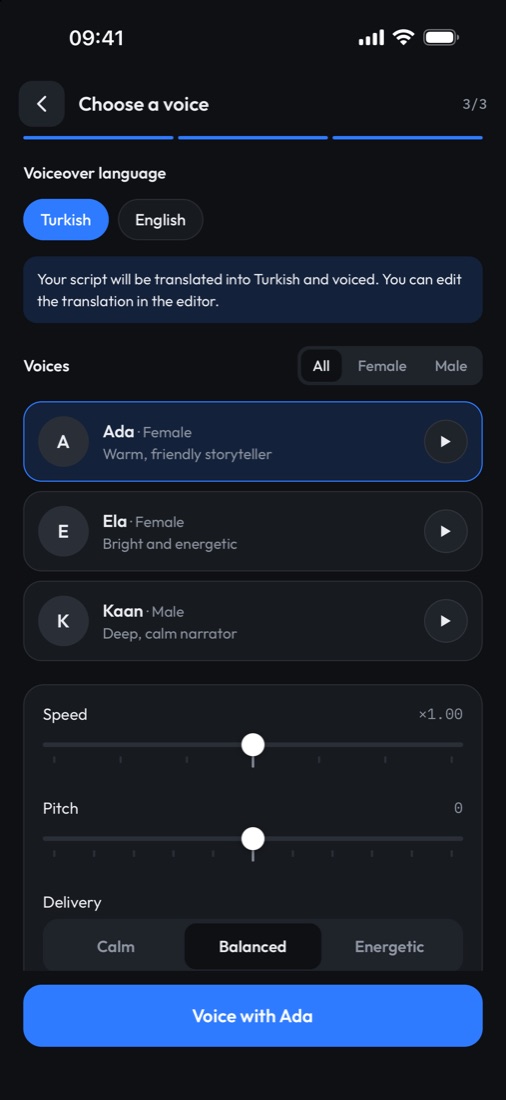
Pick a voice and a language. Writing in one language and voicing in the other? Tempoframe translates it.
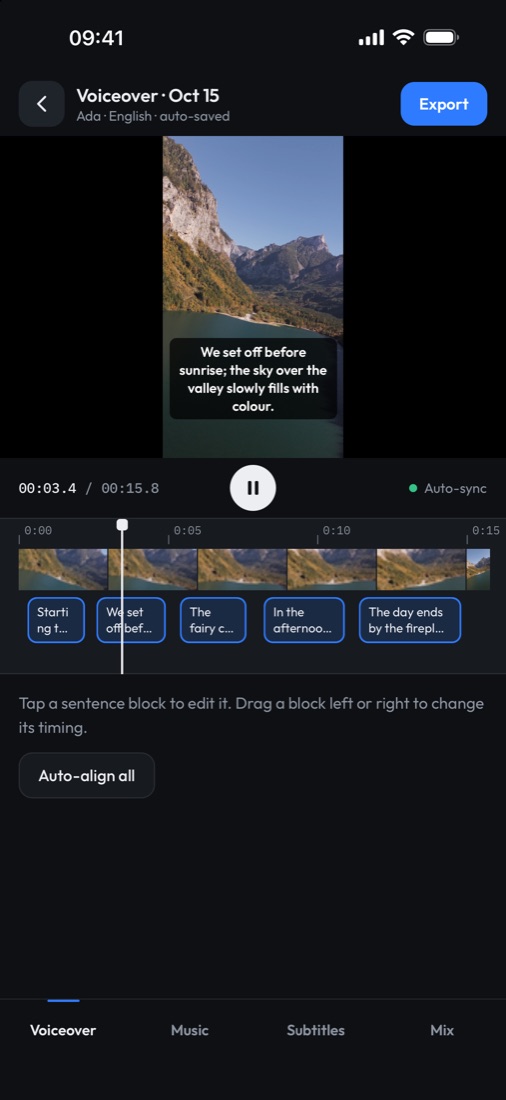
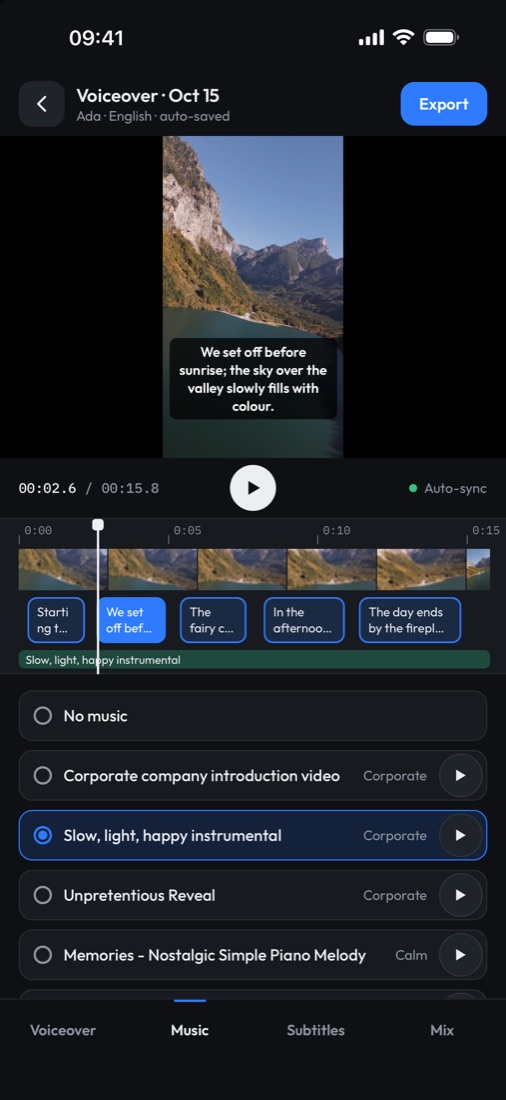
Every sentence is a block on the timeline — drag to adjust. Add music and subtitles, then export and share.
If your video tells a story, sells something or teaches something, a clear voice makes people stay. Here's where Tempoframe fits best.
Turn a walkthrough clip into a listing video with a calm narrator.
Explain each step over your cooking footage — no talking to the camera.
Narrate trips, hidden spots and city guides for Reels and Shorts.
Add a punchy voiceover to product demos and unboxings.
Walk viewers through an app, a process or a lesson, step by step.
Run a channel without showing your face or recording your own voice.
Write once and voice it in English or Turkish to reach a second audience.
Record yourself and use it as-is, or let an AI voice read your words instead.
Warm storyteller, bright and energetic, or deep and calm — with speed, pitch and delivery controls on Pro.
Each sentence is placed where it belongs in your video. Re-align everything with one tap.
Move any sentence block on the timeline, nudge it, speed it up or regenerate it.
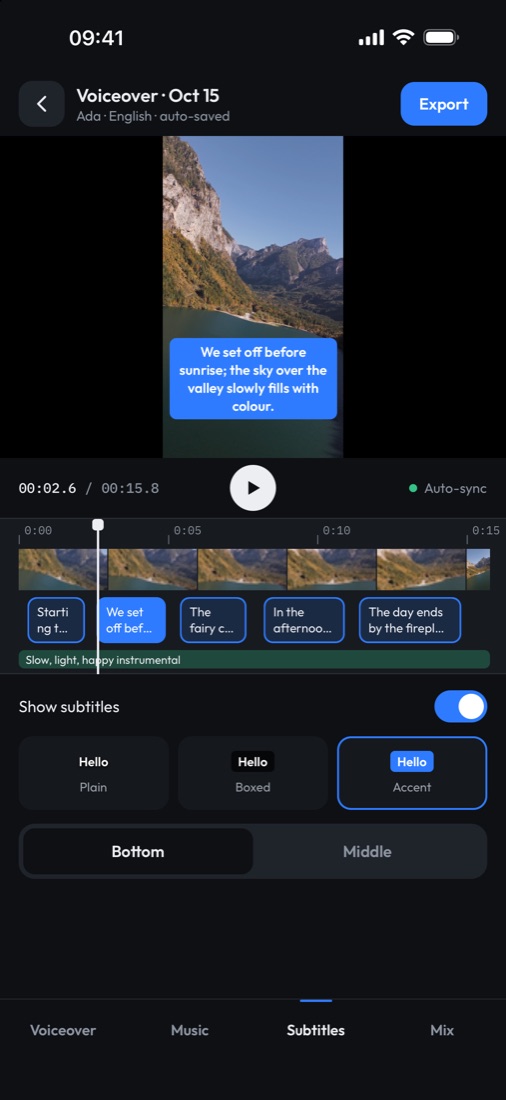
Plain, boxed or accent styles, at the bottom or middle, burned right into the video.
Royalty-free tracks that duck under the voice. Keep, lower or remove the original audio.
Translate your script and shorten it automatically when it’s longer than the clip.
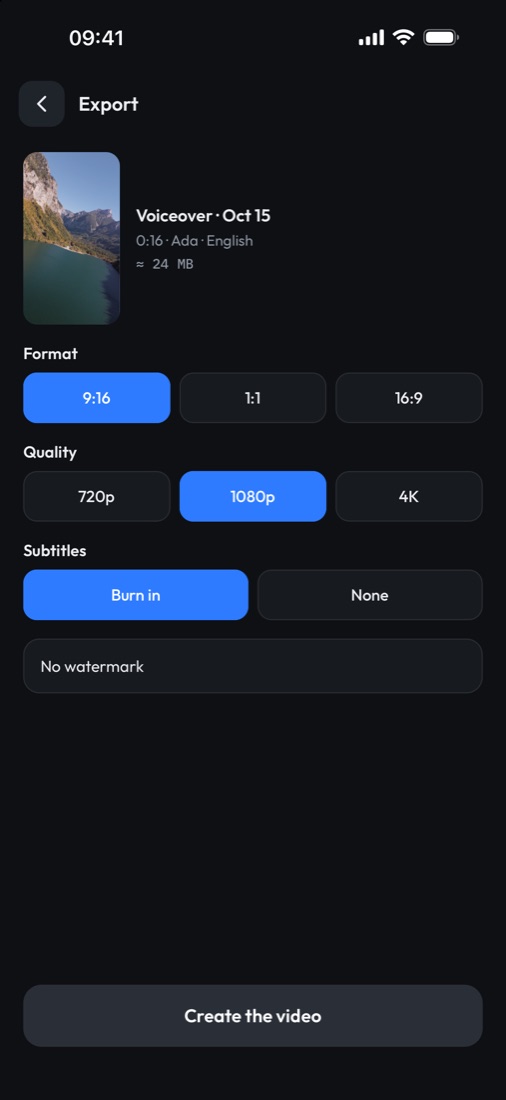
9:16, 1:1 or 16:9 at 720p, 1080p or 4K. Save to Photos or share in a tap.
HDR footage stays HDR, so your colors don’t go flat.
Pro is a monthly or yearly auto-renewing subscription through your Apple ID. Prices are shown in the app in your local currency.
Voiceovers are available in English and Turkish, and Tempoframe can translate your script between them. The app itself is in English and Turkish.
No. Type or paste a script and an AI voice reads it. If you prefer, you can record yourself and use the recording as-is or have the AI read your words.
Up to 5 minutes, MP4 or MOV, from your gallery or Files.
The built-in tracks are royalty-free (CC0).
Your content is processed only to create your voiceover. See the Privacy Policy for details.
Tempoframe is coming soon to the App Store for iPhone.
Tempoframe is coming soon to the App Store for iPhone.